
Question: How to distribute "Partners Profit Distribution Summary"?
Solution:
1. Make sure to set up "Relationship" first. Learn more.
2. "Financial Reports" of partnership entity type is dependent on how you have classified your financials and how you construct the account titles of your imported financials. Make sure that you have proper classification of accounts and also map it accordingly in LodgeiT - Learn more. Also, ensure also that the partner account name in the Equity section is consistent with the same naming convention of the client names on LodgeiT.
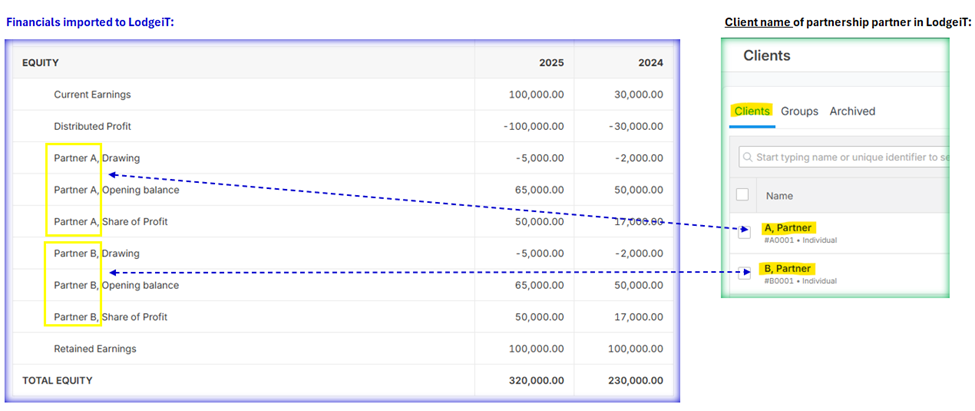
**Account Mapping in LodgeiT (located in Equity section):
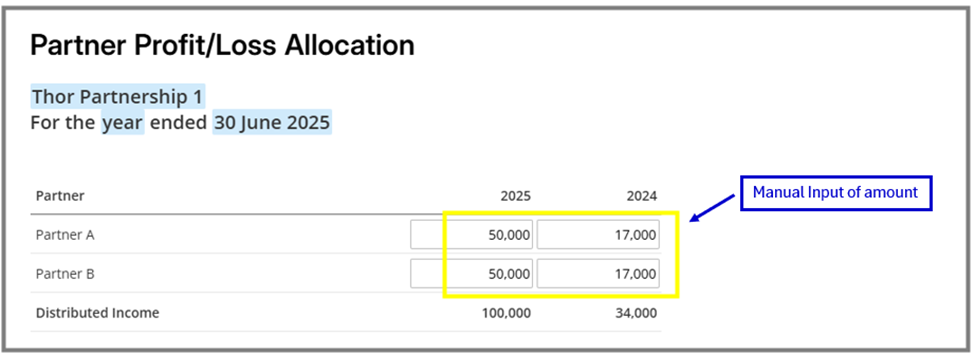
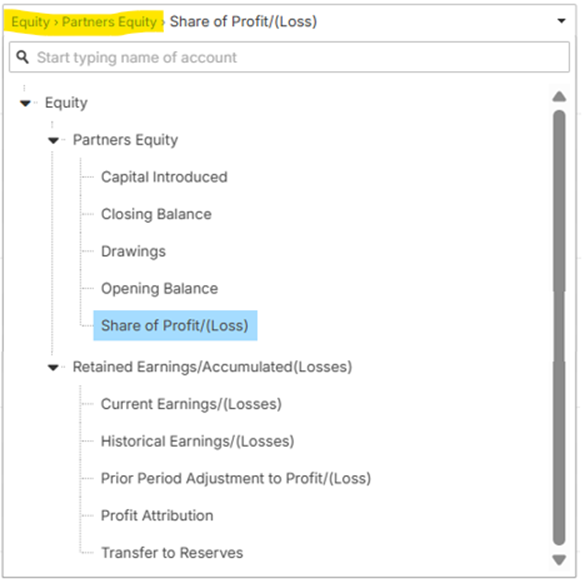 3. You have to manually input the details via "Financial Reports", either via "Partners Profit Distribution Summary" or "Partner Profit/Loss Allocation" section. About the partners share in the profit, you can fill it either of the 2 section and it will auto show to the other section.
Example: If you impute the partners share in the profit via "Partner Profit/Loss Allocation", then those amounts will auto fill the "Partners Profit Distribution Summary", under “Profit/(Loss) Appropriation” field of the partners. Below are the sample images:
Regarding the other partners equity line items (e.g. drawing, capital introduce, opening balance or closing balance), you can use the dropdown selection, so that the amount will auto-fill, otherwise the other option is to directly input the amount in each line item.
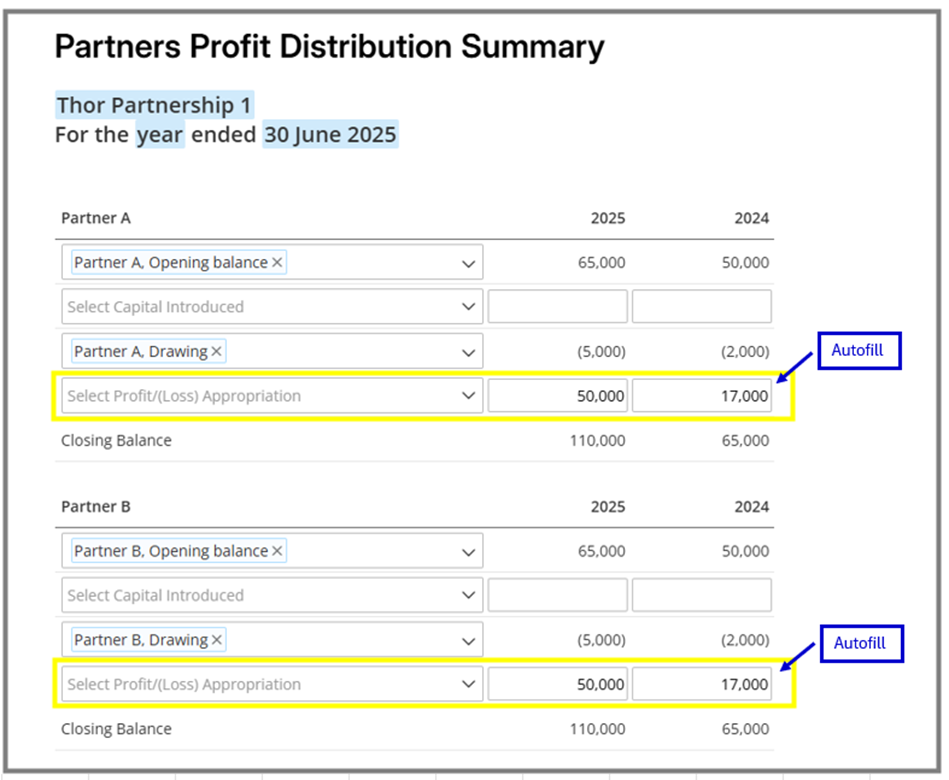
NOTE: If all the partners account line items are selected by using the dropdown selection, then please see below image on how you will see the details of the "Partners Profit Distribution Summary".
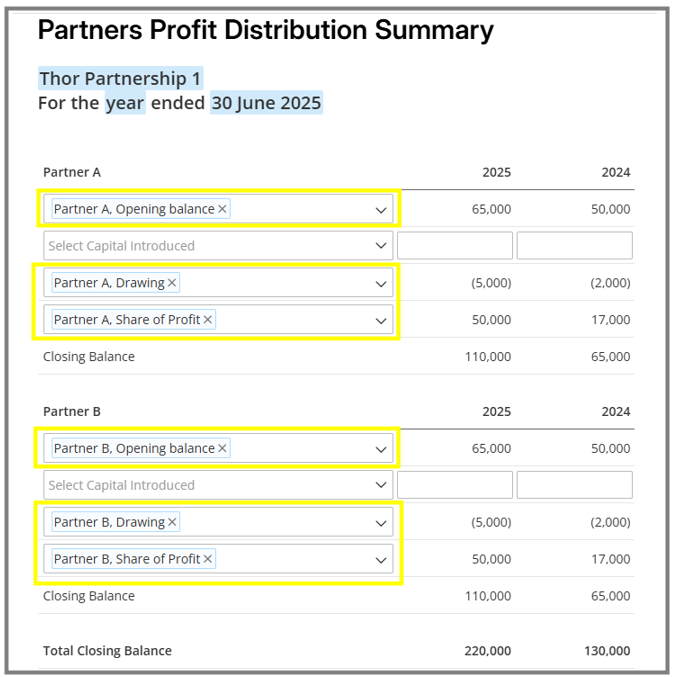
Reminder: If the dropdown option is not showing the correct accounts in the "Partners Profit Distribution Summary", best to check on how you have classified your financials via "Settings" > "Chart of Accounts" tab and map it accordingly.

Related Article: