
Lodgeit supports depreciation schedules for non-standard financial years like 1 September to 31 August, even if the settings screen defaults to a July start date. Users can technically run reports for any custom period by entering the correct opening balances.
Setting Up Depreciation
Configure the Depreciation Date in Lodgeit settings to 1 July, as shown in the attached screen. For assets purchased before this date, enter the opening balance as of 1 July to ensure accurate calculations.
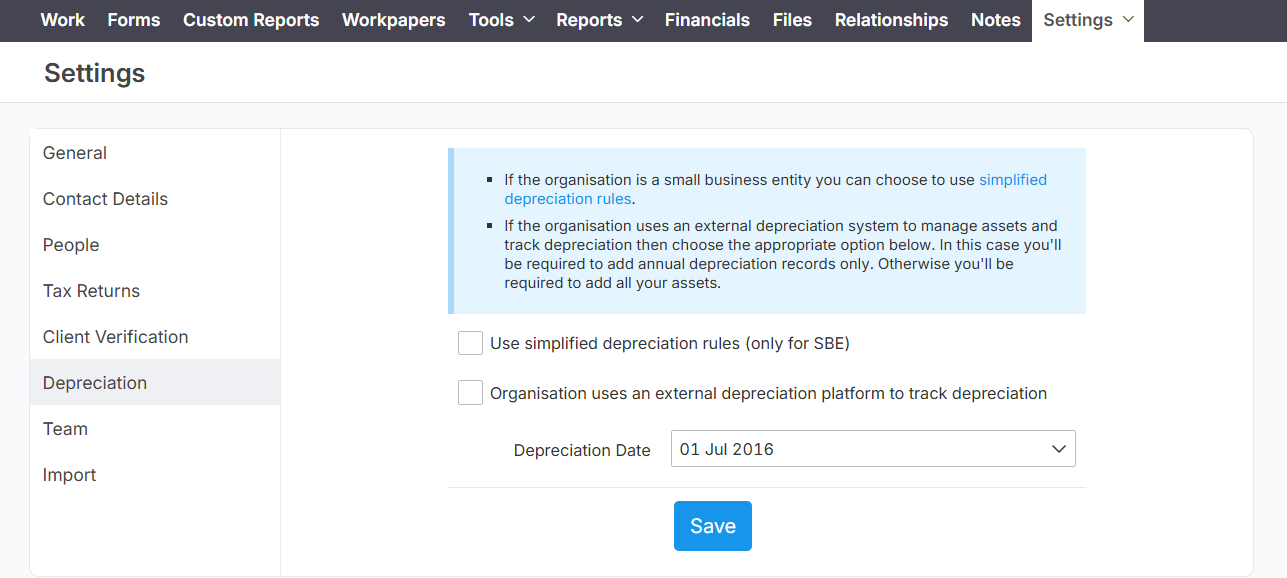
Generate the depreciation report specifically for the period 1 September to 31 August. Lodgeit's tool handles this custom range flexibly, auto-injecting results into the relevant tax return sections without needing July-specific alignment.
Key Steps for Clients
- Access Tools > Depreciation and add assets or pools.
- Input opening balances on 1 July for pre-existing assets.
- Run the report selecting 1 September start and 31 August end dates.
This approach maintains ATO compliance for the two entities' unique fiscal year