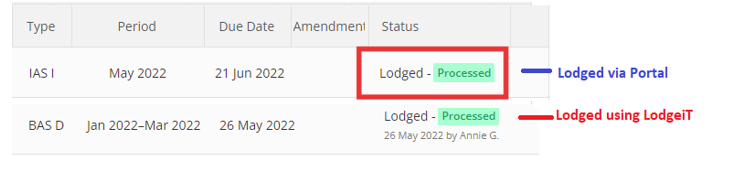
A "Lodged" BAS using Lodgeit has an "Audit Trail" that shows the history of the form.

A "Lodged" BAS from Portal

To get a BAS into Lodgeit not originally prepared in Lodgeit use the GST Analyser to 'call' the missing BAS.
Notes:
- Lodgeit automatically pulls in the background both lodged and new activity statements for every agent's client every 3 days.
- Forms automatically pull from ATO by Lodgeit on following conditions:
- Agent firm in Lodgeit has active subscription + has credentials filled (TAN, ABN/TFN)
- Agent's client in Lodgeit is active (not archived) + has credentials filled (ABN/TFN)
- In Client's "Setting" in Lodgeit, the checkbox "Pull activity statements" has to be ticked

- If a BAS form is 'lodged" through the portal, it will not count against your purchased lodgments, You will determine if 'name' is missing under the 'lodged' status.