
Go to "Forms" and click the created ITR.

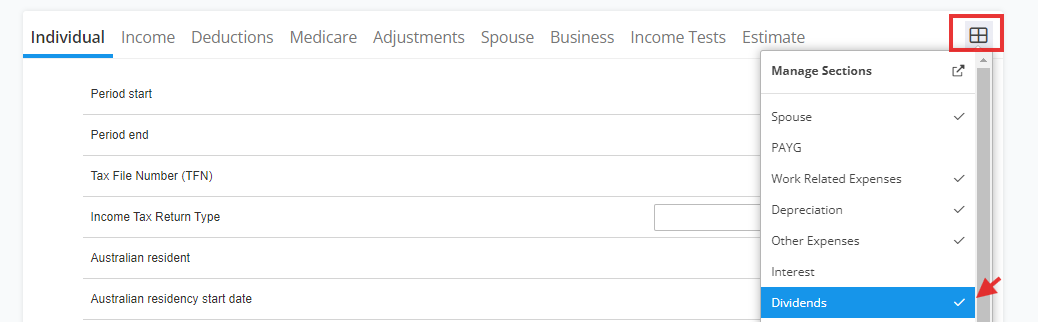
Make sure to activate "Dividends" via manage section
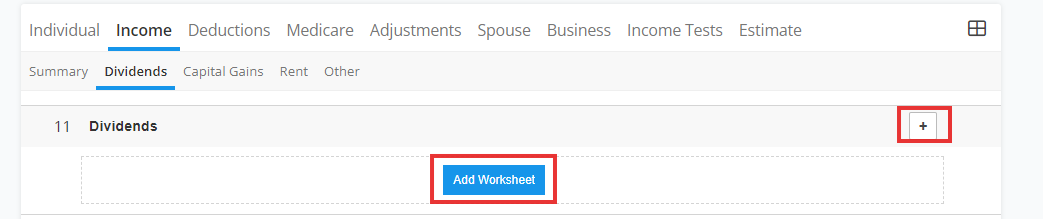
Via item 11- "Dividends" section, select the "+" or "worksheet"
Enter your dividends that never populated via prefill.
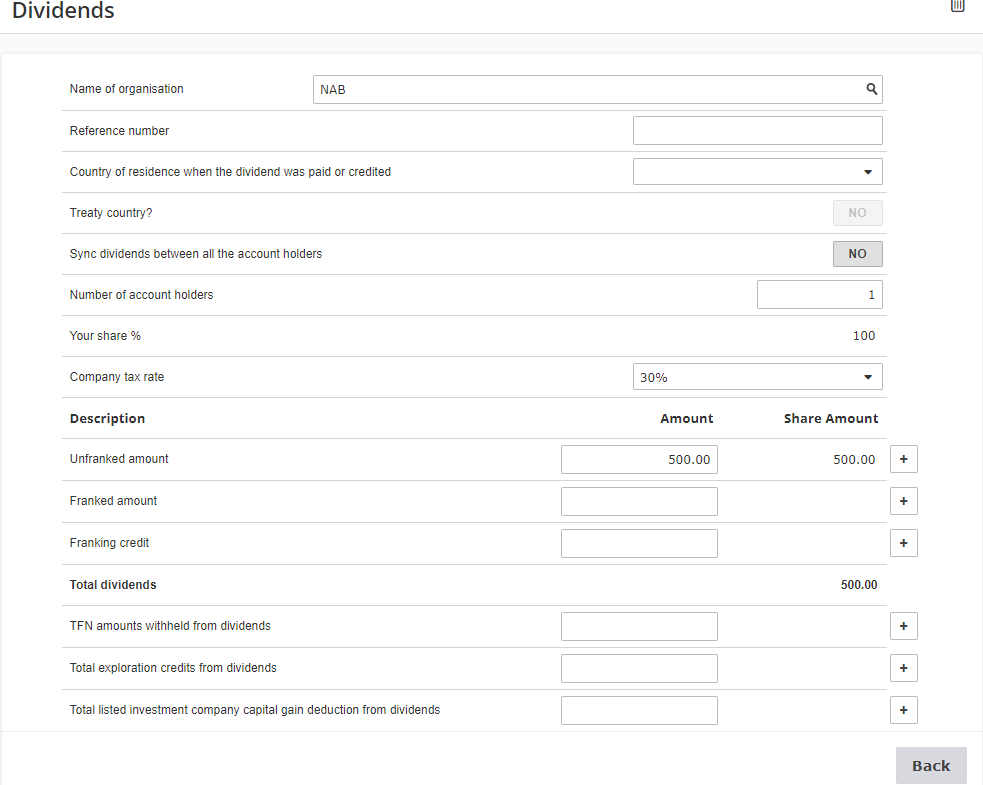
NOTE: If there is a country field (Country of residence when the dividend was paid or credited) in the worksheet, either leave it blank or fill it with the taxpayer’s country of residence (not Australia) as relevant. This helps the system and ATO correctly treat the dividends as subject to non-resident withholding tax rules rather than fully assessable income.
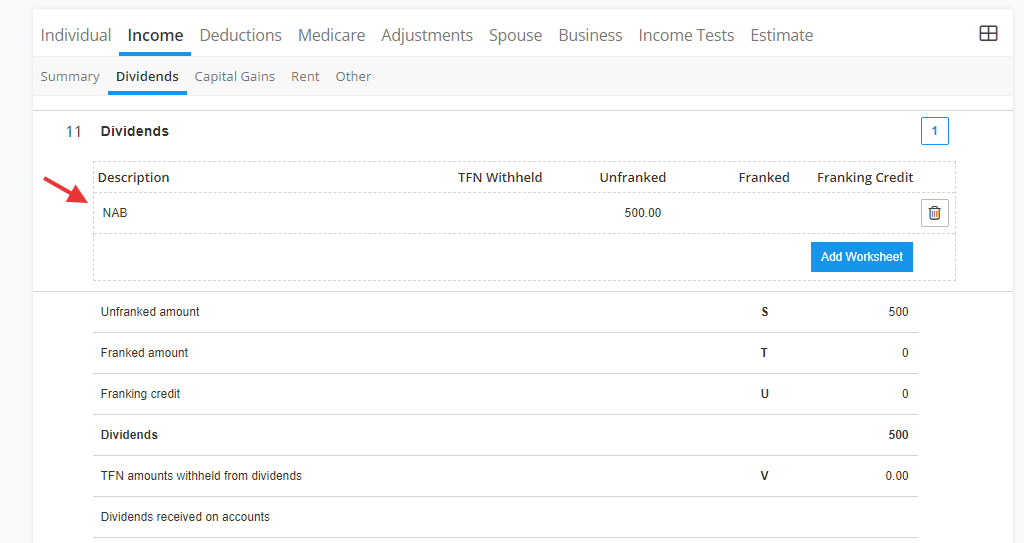
Result below:
FAQ:
Question 1: How do I correct the difference on Dividend received.
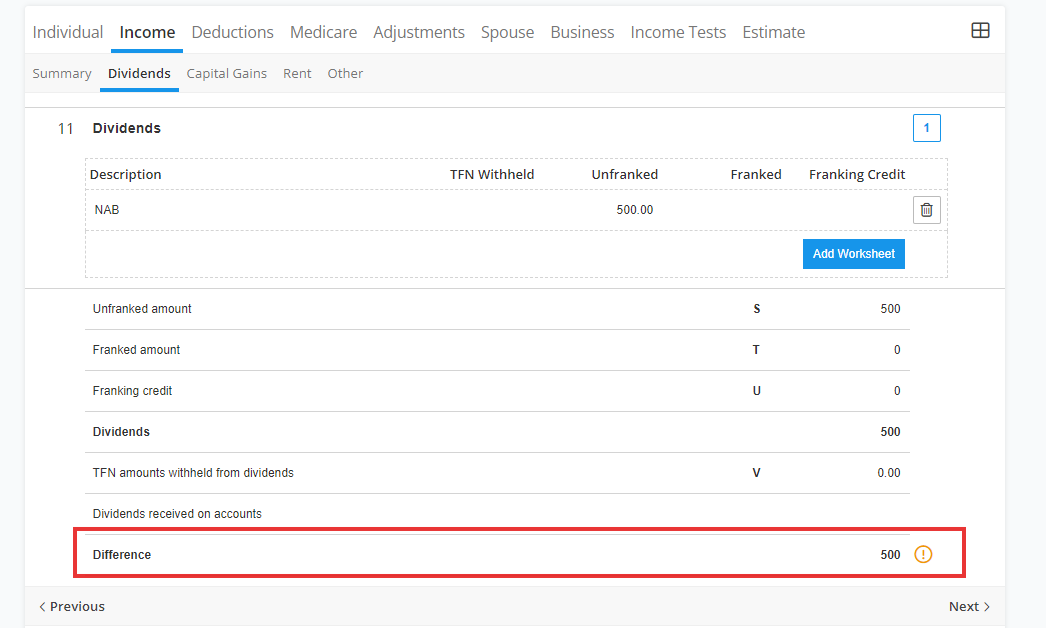
Answer: That section will only be filled in from Financial import from any Accounting system, if no import, leave it as is.
Once you press "Validate", form should be "Valid".
Question 2: How many dividend worksheets are allowed in the Individual Tax Return form?
Answer: The number of dividend worksheets allowed is only 50 in the Individual Tax Return form. The workaround is to consolidate amounts of other dividend income in 50th worksheet and then proceed in lodging the tax form. This is an ATO restriction, thus it cannot be avoided.
Reporting Partnership, Interest, Trust & Dividend Income