
Case: In this example, the client currently has their financials connected to QuickBooks, and we will disconnect QuickBooks and connect MYOB Online as the new accounting software.
Step 1: Current Financials Connection
From the screen shown below, the client’s financials are currently connected to QuickBooks.

Step 2: Disconnect QuickBooks
To disconnect the current accounting software:
- Click Settings.
- Select Import.
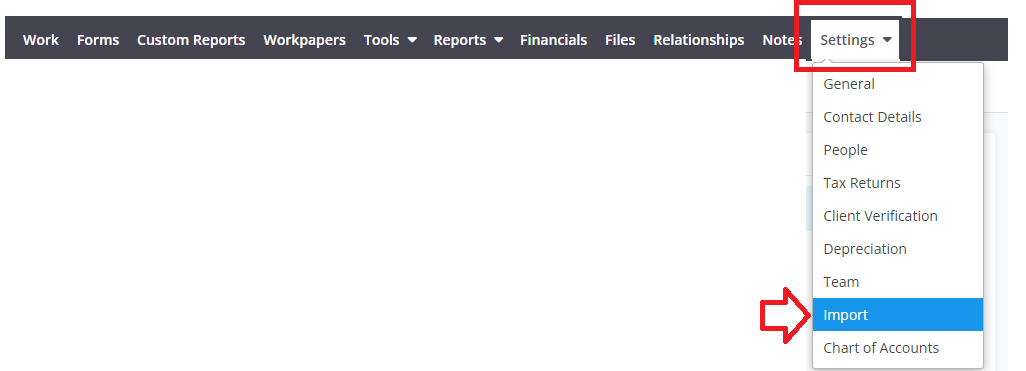
- Locate the QuickBooks connection.
- Click the X button to disconnect QuickBooks.
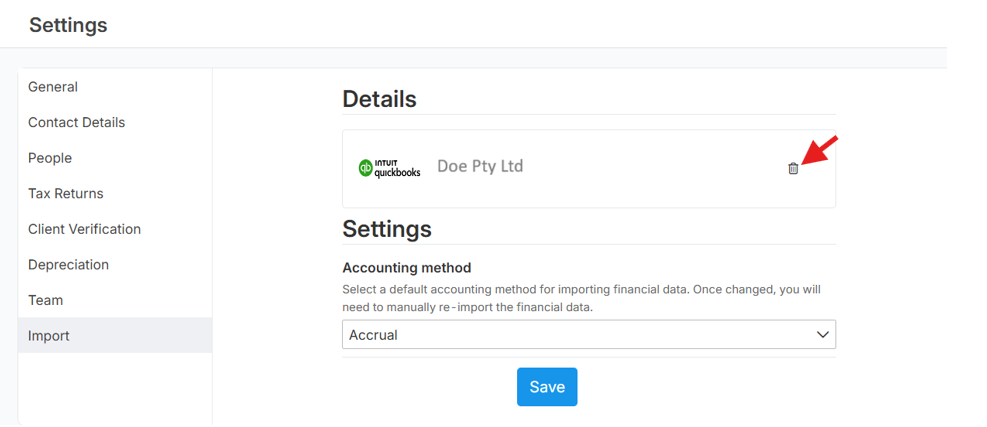
Note: The same process can be followed to disconnect other connected accounting software.
Step 3: Connect MYOB Online
Once QuickBooks has been disconnected:
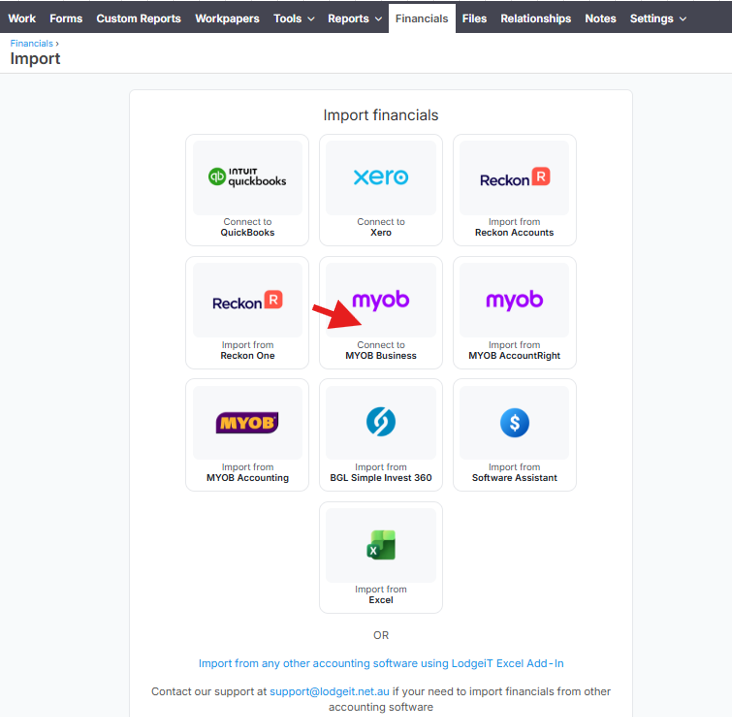
- Select MYOB Online as the new accounting software.
- Follow the prompts to complete the connection.
- Once connected, the financials can be imported from MYOB Online.
FAQ
Q: Can I import financials from two different sources, for example, one year from Excel and another year from QuickBooks?
A: No. Financials cannot be imported from two different sources. As a workaround, the comparative financial information should be imported from the beginning using the same source to ensure consistency.
Related Article: